

Viewing and Exporting Modbus Addresses#
The SLM-MX Configurator provides tools for viewing and exporting Modbus address mappings for your SLM-MX device and connected modules.
Viewing Modbus Addresses#
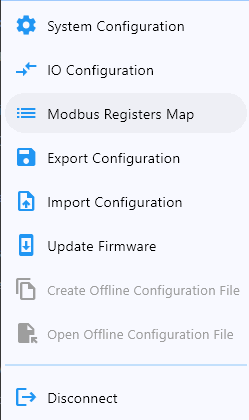
To view the Modbus address mappings:
Connect to your SLM-MX device
Navigate to the “Modbus Registers Map” tab
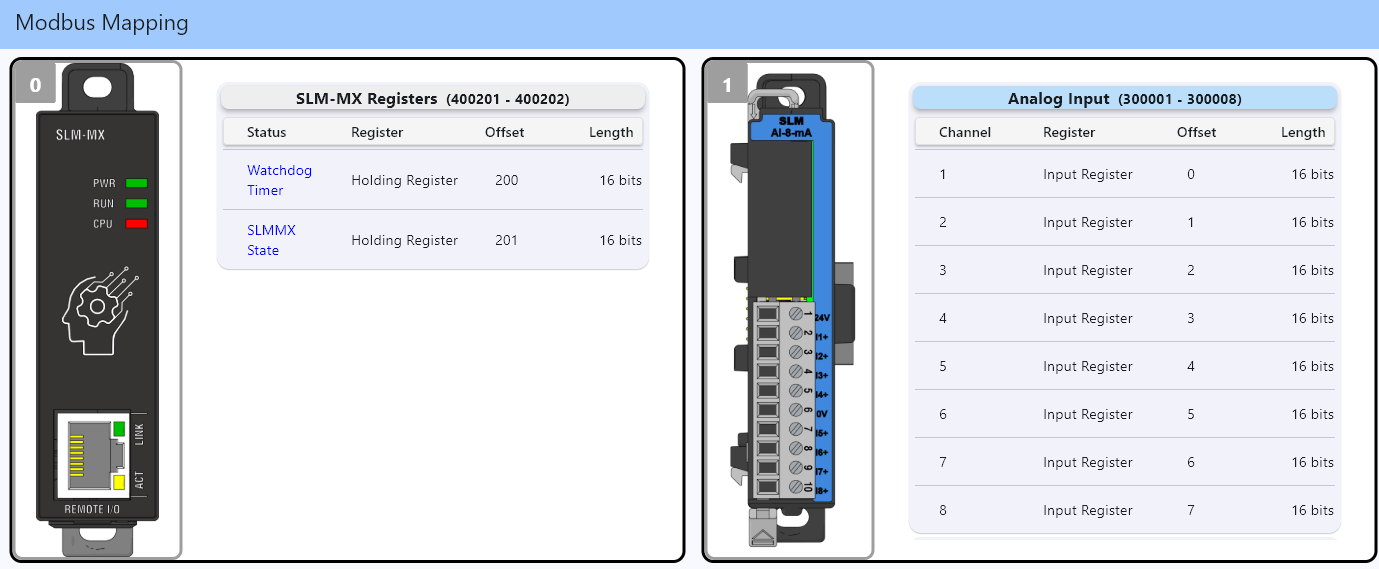
Select a module from the list to view its Modbus address mapping
The address mapping will be displayed in a table format showing:
Note
If there are more than 8 channels, or contains status registers, the module will be split into multiple tables, it is necessary to scroll the module’s table to view the entire mapping.
Module channel number
Register type (Input Status, Coil, Holding Register, Input Register)
Address offset (zero-based)
Data length
Status Register Description
Register type (Input Status, Holding Register)
Address offset (zero-based)
Data length (if SLM Status Register)
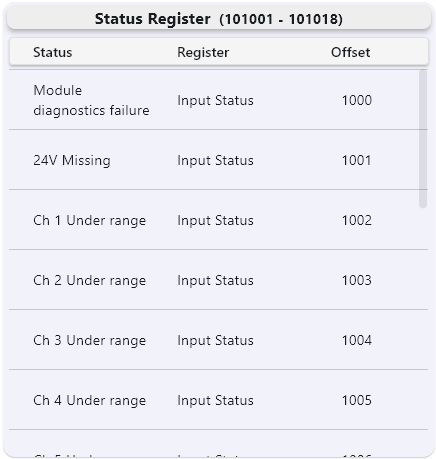
All analog input modules, as well as some specialty modules have status registers. You can reach this by scrolling down the module’s table.
With the exception of SLM-MX Registers, which has two 16-bit registers at Holding Registers offset 200-201, all module status bits can be reached starting at Input Status offset 1000. All module status bits addressed sequentially based on the order they appear.
Understanding Modbus Mapping#
The Modbus mapping follows standard Modbus conventions and are determined by the module type:
Start Address |
Type |
Access |
Module Type |
|---|---|---|---|
000001 |
Coils |
Read/Write |
Discrete Output |
100001 |
Discrete Inputs |
Read-Only |
Discrete Output |
300001 |
Input Registers |
Read-Only |
Analog Input |
400001 |
Holding Registers |
Read/Write |
Analog Output/SLM-MX Status |
When accessing modbus registers, most clients will ask for the type of register (coil, discrete input, etc.) and the address offset.
For example, if you want to read the value of the first 8 status bits starting at offset 1000, you would use the following
status_bits = client.read_discrete_inputs(1000, 8)
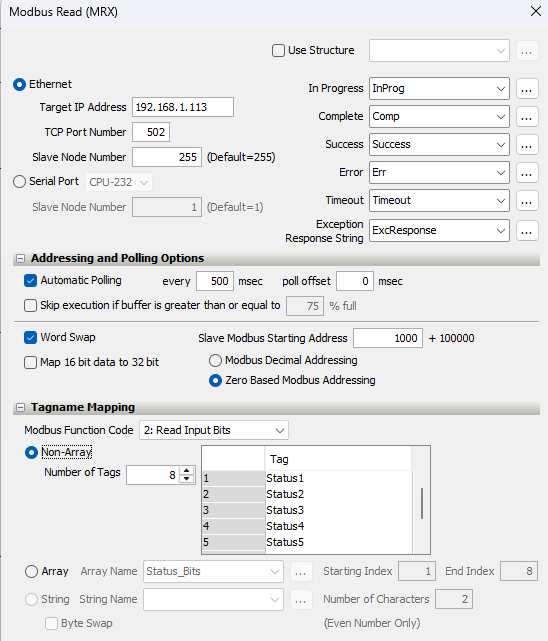
Note
Zero-based indexing is checked
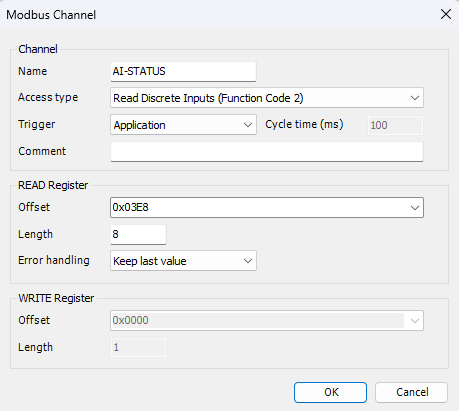
Note
Codesys offsets are 0-based, but asks for the offset in hexadecimal. In this case, offset 1000 is 0x3E8
Exporting Modbus Addresses#
To export the Modbus address mappings:
Navigate to the “Modbus Mapping” tab
Click the “Export Map” button on the bottom right.
Define the file name and location, it will end with .csv
Click “Save”
Using Exported Mappings#
The exported Modbus mappings will have the very specific order of descritpion.
Slot Order |
Module Name |
Channel |
Register Type |
Adress Offset |
Modbus Address |
Float Behavior |
Status Register |
|---|
Previous: IP Configuration | Next: Creating and Importing Offline Configuration Files