

SLM-MX Configurator#
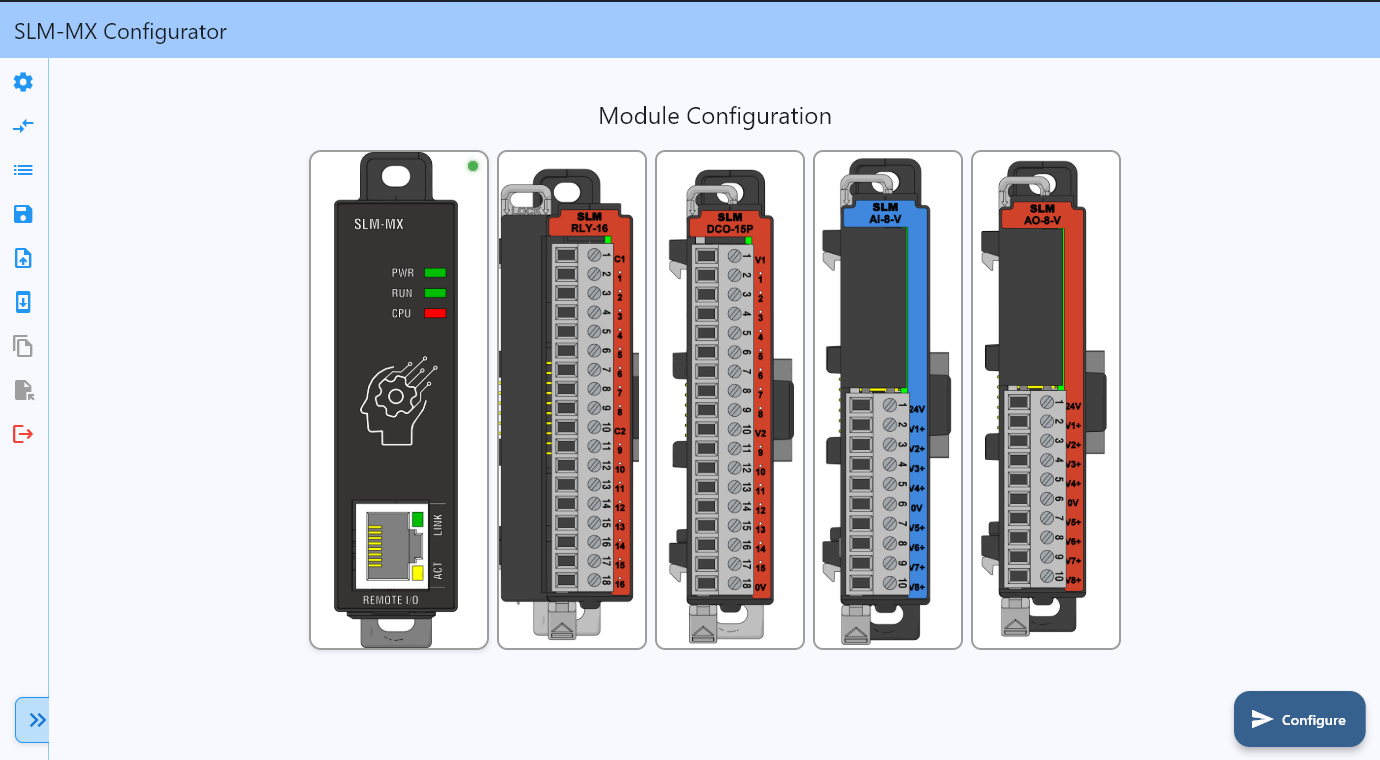
The SLM-MX Configurator provides comprehensive tools for setting up and configuring your SLM-MX device. This getting started guide will walk you through each step of the configuration process.
Prerequisites#
Before you begin, ensure you have:
A SLM-MX device powered on and connected to your network using an ethernet cable
Network access to the device (DHCP recommended for initial setup)
The SLM-MX Configurator software installed on your computer
Note
Quick Setup Tip: The SLM-MX uses DHCP by default for easy discovery. If DHCP is not available, the device will fall back to IP 169.254.10.10 (APIPA fallback).
Getting Started Guide#
Follow these steps to configure your SLM-MX device:
0. Download Configurator Software#
Get the latest version of the SLM-MX Configurator software.
1. Scanning for Devices and Factory Reset#
Learn how to discover SLM-MX devices on your network using automatic discovery or manual connection methods.
2. Configuring Modules#
Set up and configure I/O modules connected to your SLM-MX, including module detection, configuration, and status monitoring.
3. System Configuration#
Configure network settings (DHCP/Static IP), device identification, time settings, security, and backup/restore options.
4. Viewing and Exporting Modbus Addresses#
Learn how to view, understand, and export Modbus register mappings for your device and connected modules.
5. Creating and Importing Offline Configuration Files#
Create, save, and import device configurations for backup or deployment to multiple devices.
6. Firmware Update#
Keep your SLM-MX and connected modules up to date with the latest firmware versions.
Security Considerations#
Warning
Industrial Network Security Best Practices
The SLM-MX uses Modbus TCP, an industrial protocol designed for trusted networks. Security is best managed through proper network architecture and access controls:
Deploy the device on a secure, isolated network segment
Use firewalls and access controls to restrict network access as needed
Follow your organization’s industrial network security policies
Consult with your IT team for remote access requirements
These practices help ensure reliable and secure operation in industrial environments.