

Peripherals#
Front panel#
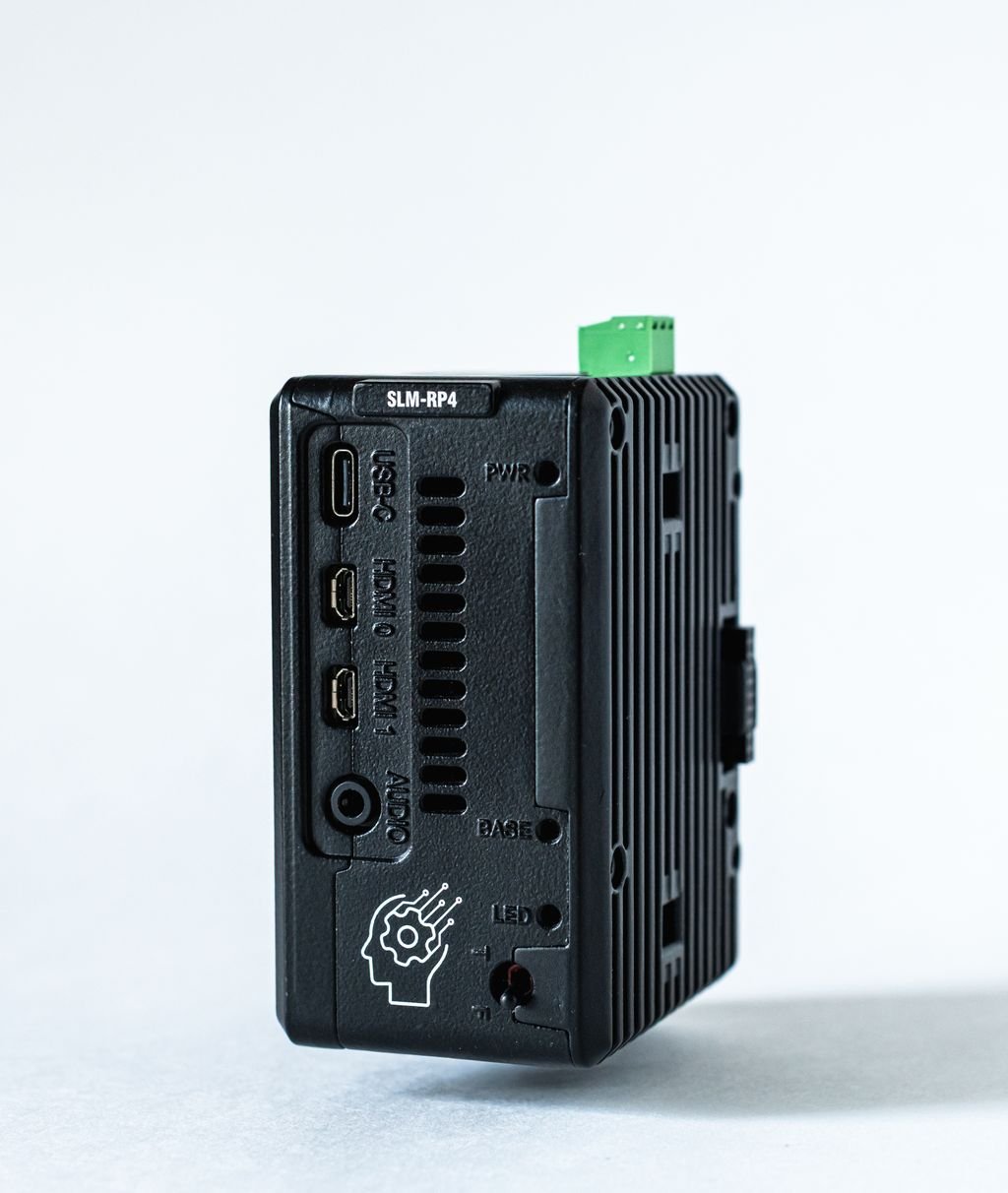
Element |
Function |
|---|---|
PWR LED |
Lit when 24 VDC is present at the power terminal. |
BASE LED |
Lit when the base controller is signed on and the backplane is being scanned. When off, the backplane is inactive and the base cannot communicate with the modules. |
LED (RGB) |
Status indicator. Its behavior depends on the programming path; see below. |
T/F toggle switch |
Two-position input. Its behavior depends on the programming path; see below. |
USB-C |
5 VDC power input for the controller only (not the backplane). USB device (OTG) port. |
micro-HDMI 0 |
Primary display output. |
micro-HDMI 1 |
Secondary display output. |
Audio |
3.5 mm analog audio output. Unavailable while the RGB LED driver is running. |
RGB LED and toggle switch#
The toggle switch is a general-purpose input rather than a dedicated run/stop control: T reads as true and F as false. What each position means is decided by the software that owns the switch. OpenPLC Runtime uses it as a run/stop switch; a Python or C++ program can use it for anything.
Path |
T/F toggle switch |
RGB LED |
|---|---|---|
OpenPLC Runtime |
Reserved by the runtime. T runs the PLC program; F stops it. Not readable from the PLC program. |
Reserved by the runtime. Green: program running. Red: fault. Off: runtime stopped or no program loaded. |
Python / C++ |
User-controllable. Read through the |
User-controllable through the Adafruit NeoPixel library (Python) or |
To use the switch or the LED from Python or C++, stop the PLC or stop the OpenPLC Runtime. See Sharing the Hardware and Onboard Peripherals.
Connectors#
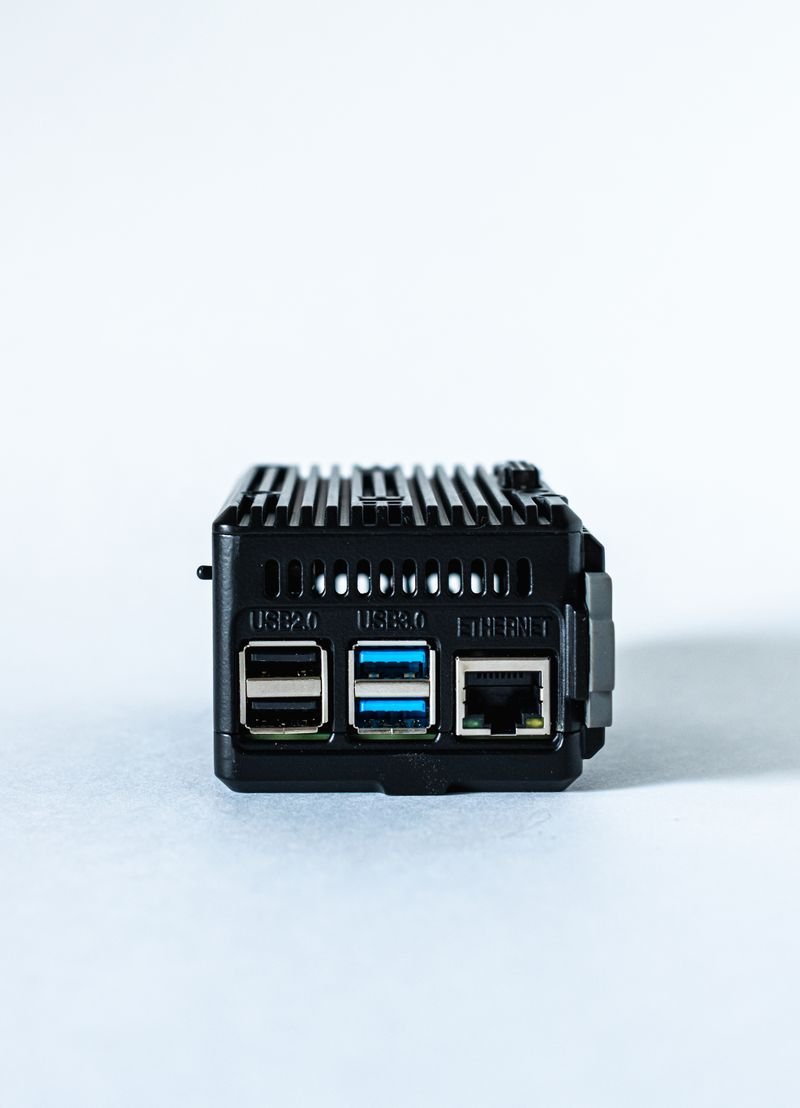
Connector |
Function |
|---|---|
24 VDC terminal block |
Primary power input for the controller and the backplane. |
Ethernet |
10/100/1000 Mbit interface used for programming, fieldbus traffic, and general network access. |
USB 2.0 (×2) |
USB-A host ports. |
USB 3.0 (×2) |
USB-A host ports. |
Backplane edge |
Right-hand connector mating with slot 1 of the module stack. |
SD card slot |
Holds the SD card with the operating system and OpenPLC Runtime. The card ships inserted and must stay in place for the device to boot. |
Raspberry Pi status LEDs#
Two LEDs next to the SD card slot belong to the stock Raspberry Pi 4 board inside the SLM-RP4. They report the state of the Raspberry Pi itself, not of the PLC program.
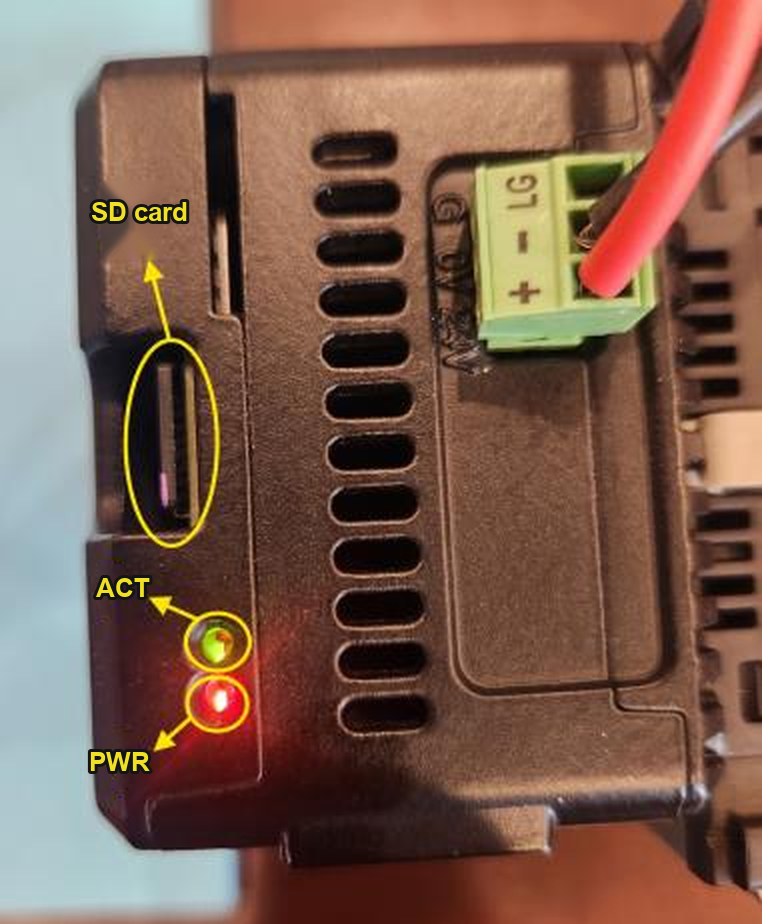
LED |
Meaning |
|---|---|
PWR (red) |
Lit steadily when the Raspberry Pi is receiving adequate power. Off or flashing indicates a supply undervoltage. |
ACT (green) |
Flashes during SD card activity. Dark once the system has fully shut down; wait for this before removing power. |