

The Backplane and Modules#
All I/O on the SLM-RP4 is provided by modules clipped to the rail beside the base. The modules connect to the base through a SPI backplane that runs through the edge connectors of each module. The base controller is the bus master, and each module’s position on the rail determines its slot address. Up to 8 modules are supported.
   ┌──────────┐ ┌────────┐ ┌────────┐ ┌────────┐
   │ SLM-RP4  │ │ Slot 1 │ │ Slot 2 │ │ Slot 3 │  ...  up to slot 8
   │  (base)  │ │        │ │        │ │        │
   └──────────┘ └────────┘ └────────┘ └────────┘
        └────────────┴──────────┴──────────┘
                     backplane
Slots are numbered from 1, starting with the module immediately to the right of the base.
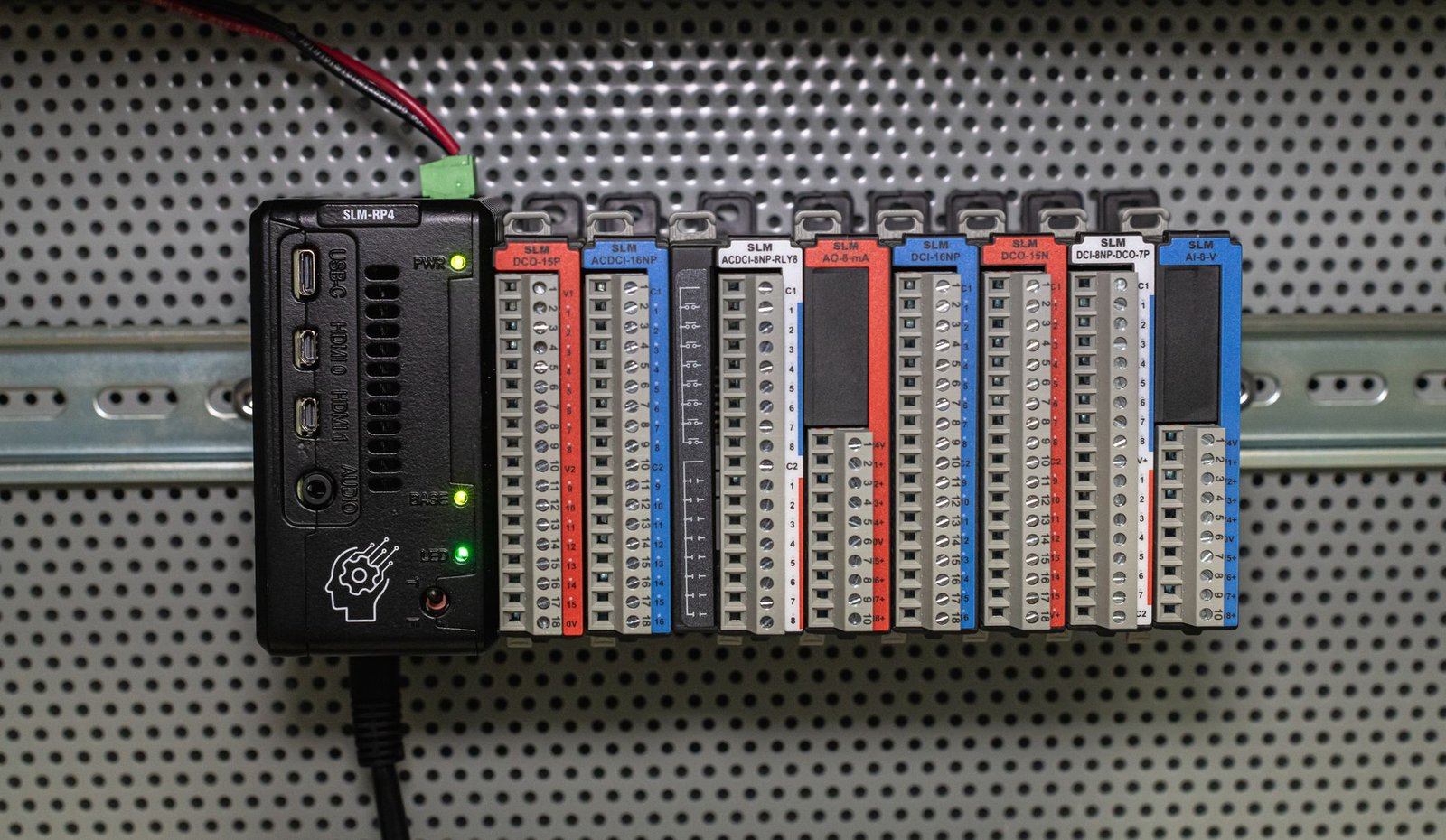
To add a module, clip it to the rail and slide it left until its connector mates with its neighbour and the latch engages.
Never install or remove modules with power applied
The backplane is not hot-swappable. Modules can be permanently damaged if they are installed in, or removed from, the stack while the SLM-RP4 is powered.
Shut the device down and disconnect 24 VDC before adding, removing or replacing any module. See Clean shutdown.
Matching the configuration to the stack#
At startup each module reports its identity to the base controller, but this does not configure your project. The Backplane Configuration in OpenPLC Editor is written by hand, and it must match the modules physically installed, slot by slot.
A mismatch is not always obvious. For example, if slot 2 is declared as an SLM-AI-8-V (0-10 V analog input) but an SLM-AI-8-mA (0-20 mA analog input) is installed, the program addresses the wrong data and every reading from that slot is wrong.
Whenever the physical stack changes, update the Backplane Configuration to match (see Configuring the Backplane) and upload the project again. If the PLC Logs show different modules than you expect, see Sign-on lists the wrong modules.